
How to Sign Up for Restock Notifications
If the product you're looking for is currently out of stock, here's how you can sign up to receive a notification when it is available again for purchase.
1. Go to the unique product page of your item and select your prefered colour. If there is no colour option, skip this step.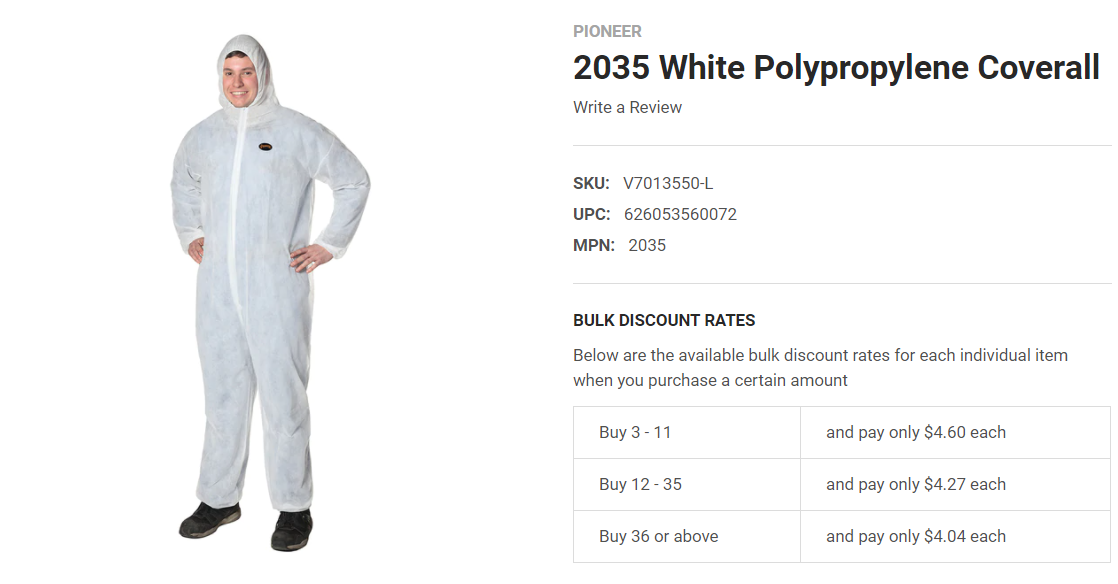
2. Select your size. If it is out of stock, a text box will appear below where you can enter your email address.
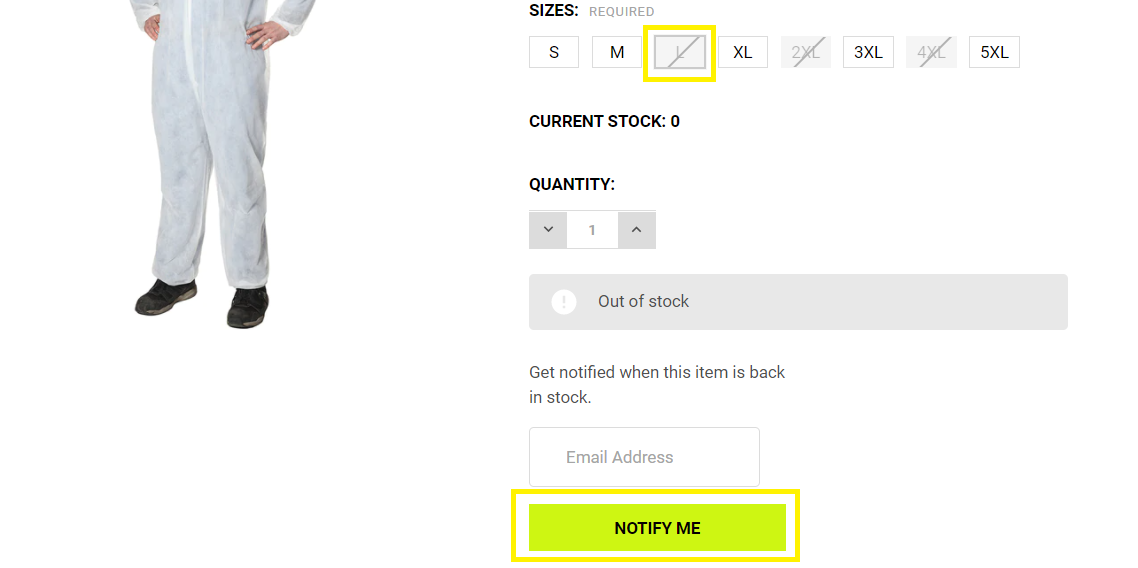
3. Once you have entered your email address, select "NOTIFY ME". You will now receive a notification of when the item in your selected colour and size will be restocked.
18th Mar 2021
Recent Posts
-

Why Blåkläder Workwear? Quality, Function and Sustainability
When quality matters, the gear you choose matters too. Since 1959, Blåkläder has made heavy duty wor …4th Nov 2026 -

Waterproof Footwear for Fall: How to Keep Your Feet Dry All Season
Fall is here, and with it comes the rain, the mud, and those sneaky puddles that seem to appear out …22nd Sep 2026 -
Hey Vancouver, Our Sample Sale Is Almost Here!
If you've been waiting for an excuse to stock up on workwear essentials, this is it. Our sample sale …8th Sep 2026