
How to Sign Up for Restock Notifications
If the product you're looking for is currently out of stock, here's how you can sign up to receive a notification when it is available again for purchase.
1. Go to the unique product page of your item and select your prefered colour. If there is no colour option, skip this step.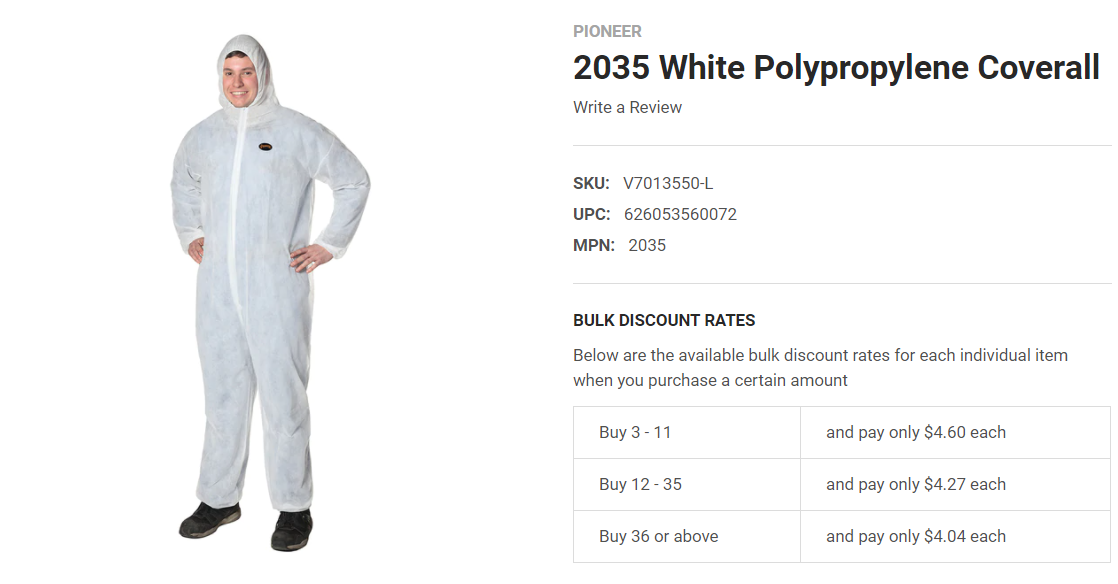
2. Select your size. If it is out of stock, a text box will appear below where you can enter your email address.
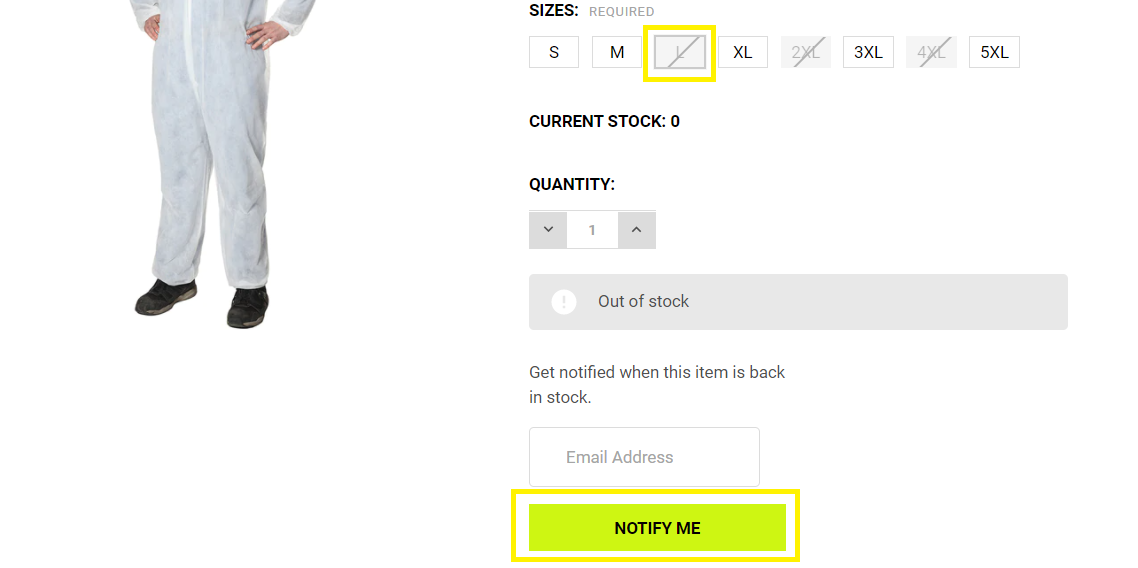
3. Once you have entered your email address, select "NOTIFY ME". You will now receive a notification of when the item in your selected colour and size will be restocked.
18th Mar 2021
Recent Posts
-

Easter Long Weekend Hours
Please note that we will be closed on Friday, April 3rd, and will reopen for regular service on Mond …2nd Apr 2026 -
Get Seen, Stay Safe: Free Reflective Stickers with Every Order!
At Safetywear.ca, we know that visibility is everything when you're on the job. Whether you’re worki …25th Mar 2026 -

Happy International Women's Day!
Today we’re honouring the women who keep our job sites running safely and efficiently. To th …6th Mar 2026